Welcome to powerbunch · Microsoft Power Platform expert

Microsoft Power Platform. Clear and effective.

With more than 30 years of IT experience, I advise companies on Microsoft 365 and the Microsoft Power Platform - and implement the solutions myself: Power Automate, Power Apps, SharePoint, Dataverse, MSSQL, and integrations. Personal, practical, and with a clear focus on your processes.

  • PL-600 Solution Architect Expert
  • 30+ years of IT experience
  • Euskirchen · remote across Germany, Austria, and Switzerland
Scroll

01The situation

Your processes work. Somehow.

The Excel spreadsheet that only one person on the team understands. Approvals via email chains. Forms that are printed, signed, and scanned. Data maintained in three systems. It costs time every day - and nobody can see the current status of a case.

Yet the solution is often already included in your Microsoft 365 license.

Today

  • Excel spreadsheets emailed back and forth
  • Approvals on paper or given verbally
  • Data duplicated in several systems
  • Nobody knows the current status of a case

With the Power Platform

  • One app for data entry and processing
  • Automatic approvals via Teams and email
  • One data foundation with integrations
  • Status, history, and reporting at any time

02Services

Consulting and implementation. From a single source.

My strengths are Power Automate (cloud flows) and Power Apps (canvas apps). I also bring the supporting expertise a solution needs in a business setting - from Microsoft 365 to databases, integrations, and AI. For Power BI, I work closely with my partner AMBLIX GmbH (opens in a new tab).

All services and how I work

03Focus areas

Where I am strongest.

Power Automate · cloud flows

Routine work that takes care of itself

Approvals, notifications, documents, and data synchronization run automatically in the background - with error handling, logging, and clear responsibility, so that nothing is left undone, even on a Friday evening.

  • Approval workflows
  • Documents from templates
  • Incoming invoices and emails
  • Synchronization with ERP and accounting
More about Power Automate

Power Apps · canvas apps

Apps your team actually enjoys using

Custom interfaces tailored to your workflow - at your desk, on a tablet on the shop floor, or on a smartphone at the customer's site. Fast, easy to navigate, and built to remain maintainable three years from now.

  • Requests and approvals
  • Field sales and service
  • Master data management without Excel
  • Replacing Access and InfoPath
More about Power Apps

Microsoft 365 and integrations

Everything that belongs together, connected

Outlook, Teams, Planner, Forms, and SharePoint talk to each other - and to your systems outside Microsoft 365: Business Central, sevDesk, Lexware, Adobe Acrobat Sign, CRM, or your own APIs via custom connectors.

  • Microsoft Graph
  • REST and SOAP
  • Custom connectors
  • Digital signature
More about integrations

04Templates for businesses

Prefer to get started yourself? With my templates.

Practical knowledge for doing it yourself: templates, handbooks, and training materials that help your team get started in a structured way. And if you would like support along the way, I am happy to help.

Template for businesses

Performance Check for Power Apps

Review your canvas apps, measure performance before and after, and make targeted improvements to speed them up. Includes an Excel workbook for scoring and prioritization, a report template, and a handbook.

  • 58-page handbook
  • 64 checkpoints
  • 7 areas

Excel, Word, and PDF files to download

79 €plus VAT, one-time

View product

Template for businesses

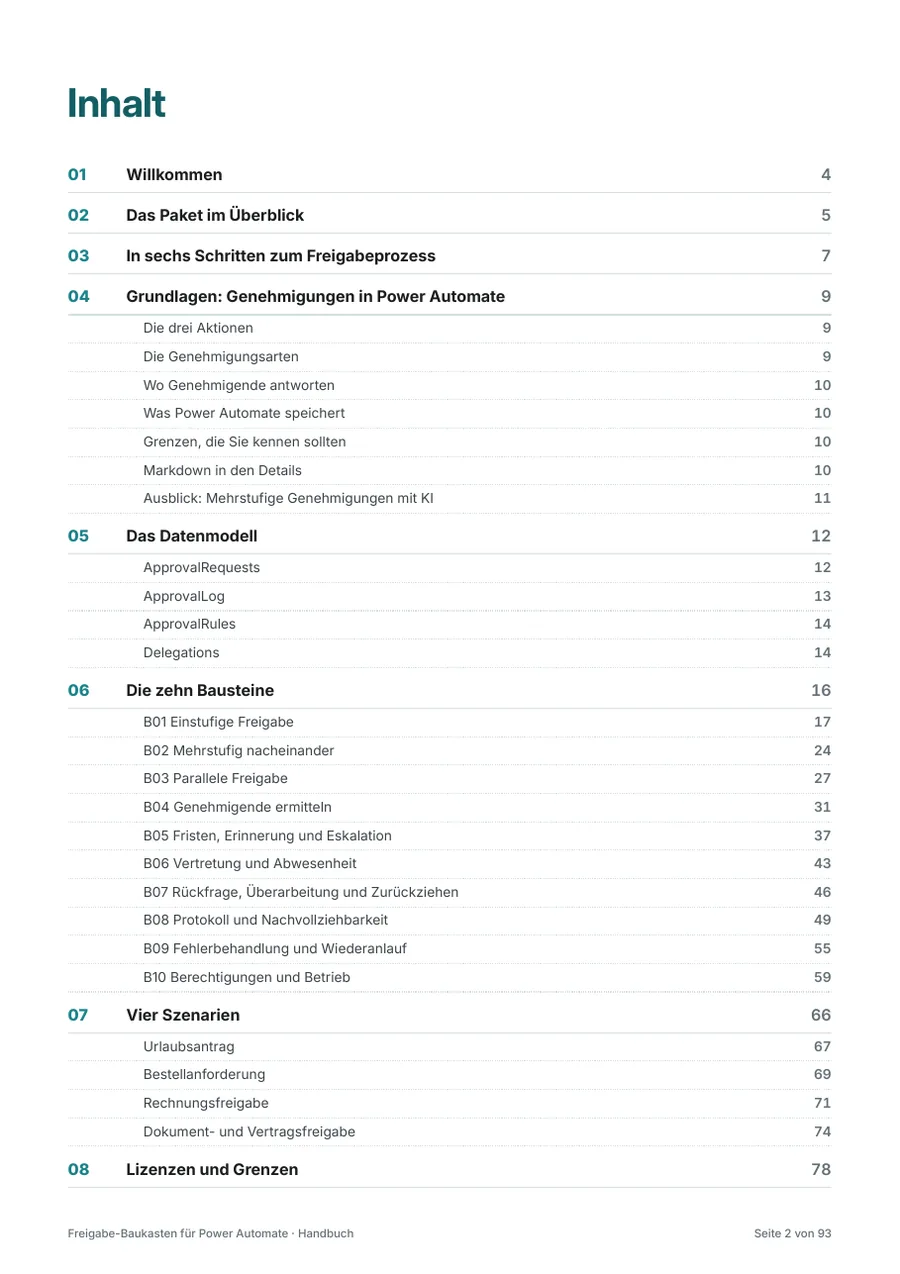
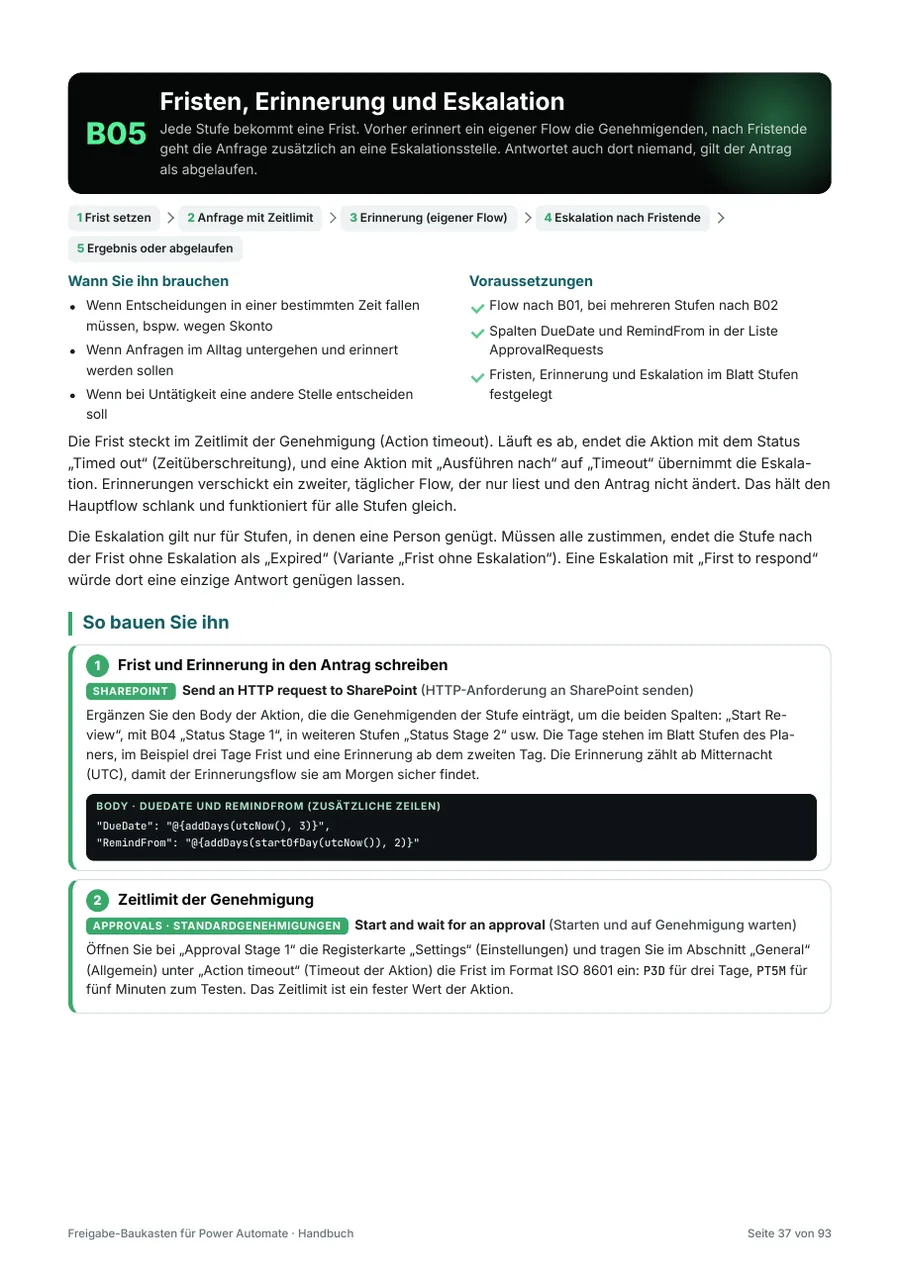
Approval Toolkit for Power Automate

Plan, build, and test approval processes

  • 93-page handbook
  • 10 building blocks
  • 4 scenarios
  • 53 test cases

Excel, Word, and PDF files to download

179 €plus VAT, one-time

View product

Template for businesses

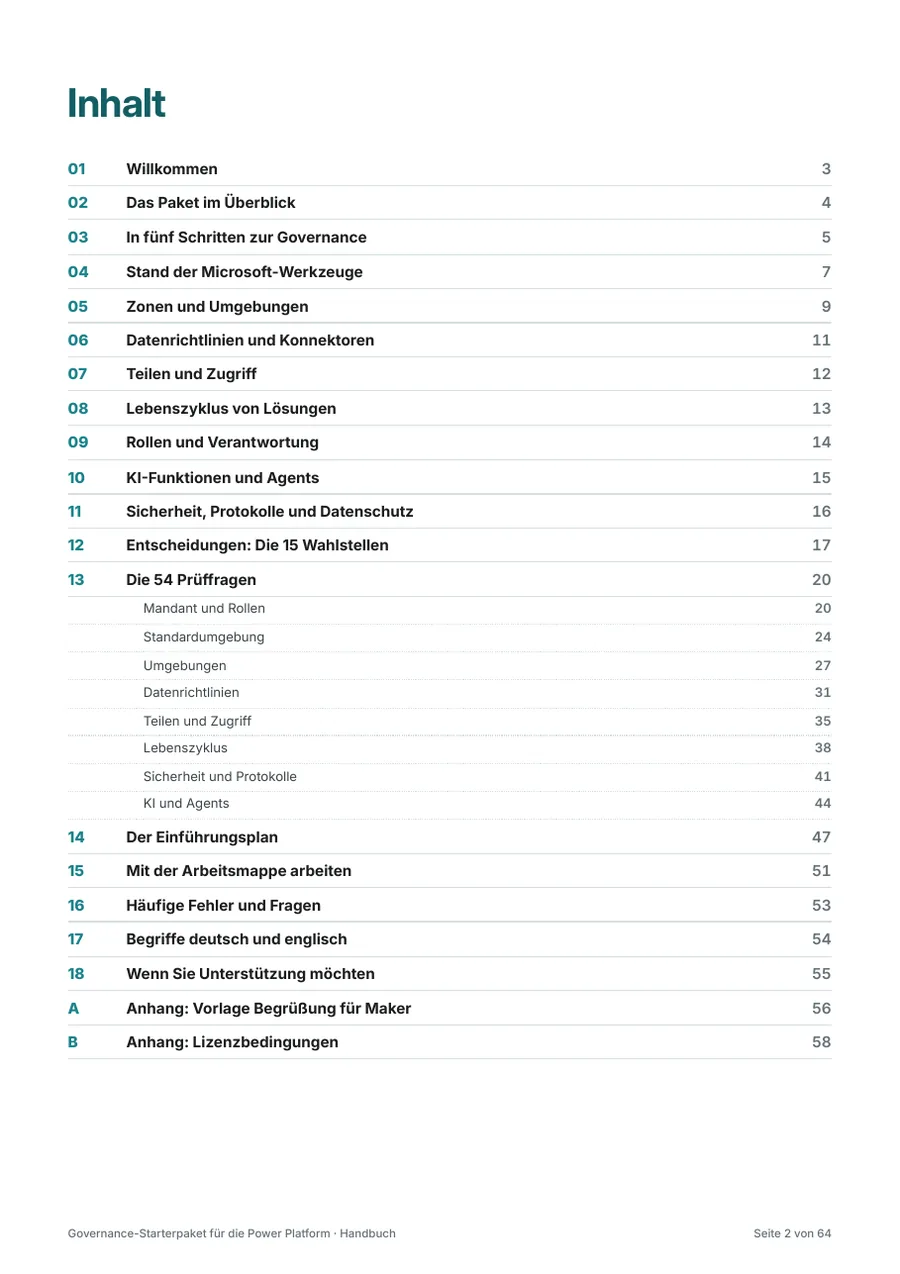
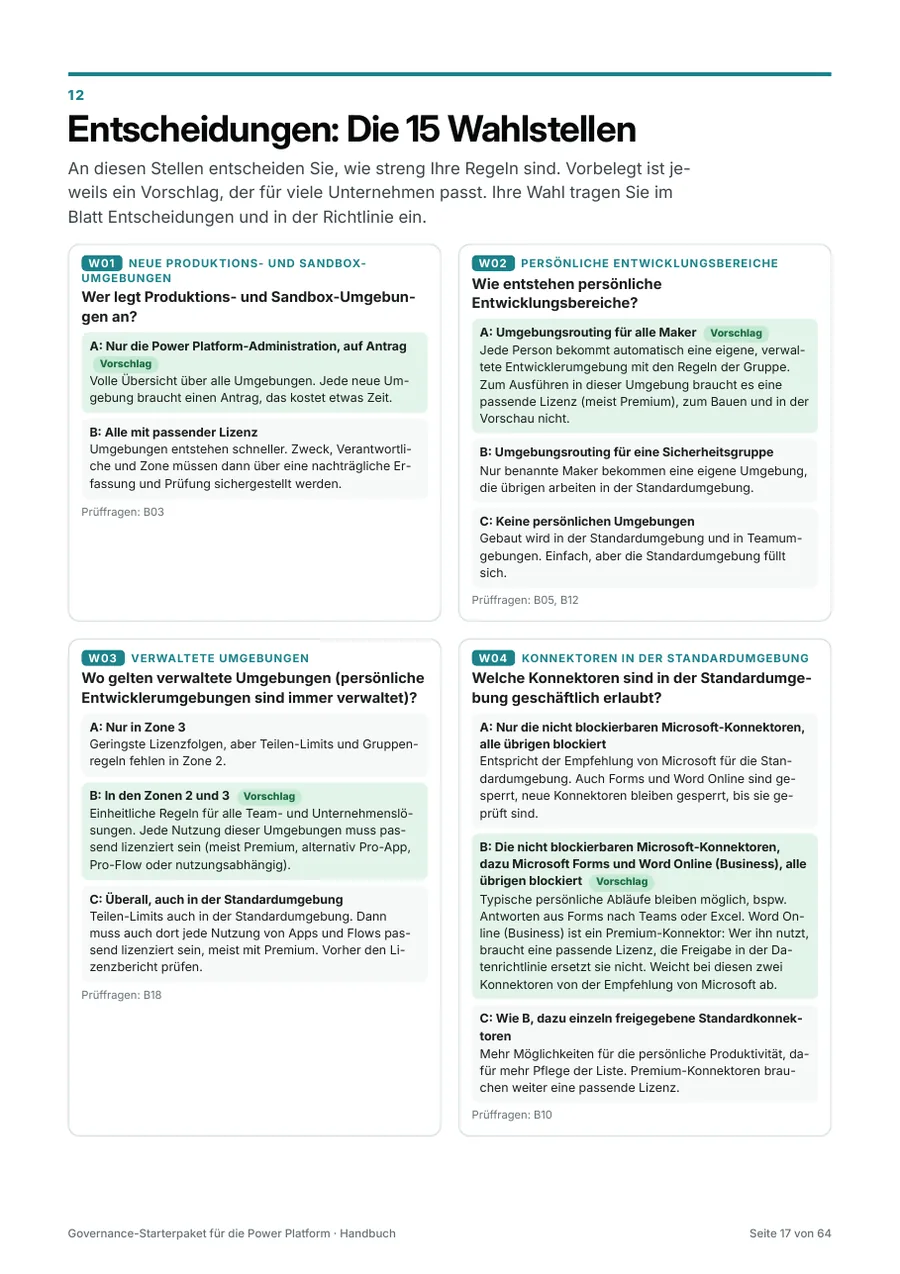
Governance Starter Kit for the Power Platform

Introduce rules, roles, and environments for Power Automate, Power Apps, and Copilot Studio yourself

  • 64-page handbook
  • 54 review questions
  • 15 decision points
  • 60 steps in the rollout plan

Word, Excel, and PDF files to download

249 €plus VAT, one-time

View product

Template for businesses

Migration Kit for the Power Platform

Systematically replace SharePoint workflows, InfoPath, Access, and Excel macros: an inventory with deprecation timelines and their sources, a decision and rationale for each solution, a migration wave plan, and cutover with acceptance.

  • 40-page handbook
  • 19 types of legacy solutions
  • 7 steps

Excel, Word, and PDF files to download

149 €plus VAT, one-time

View product

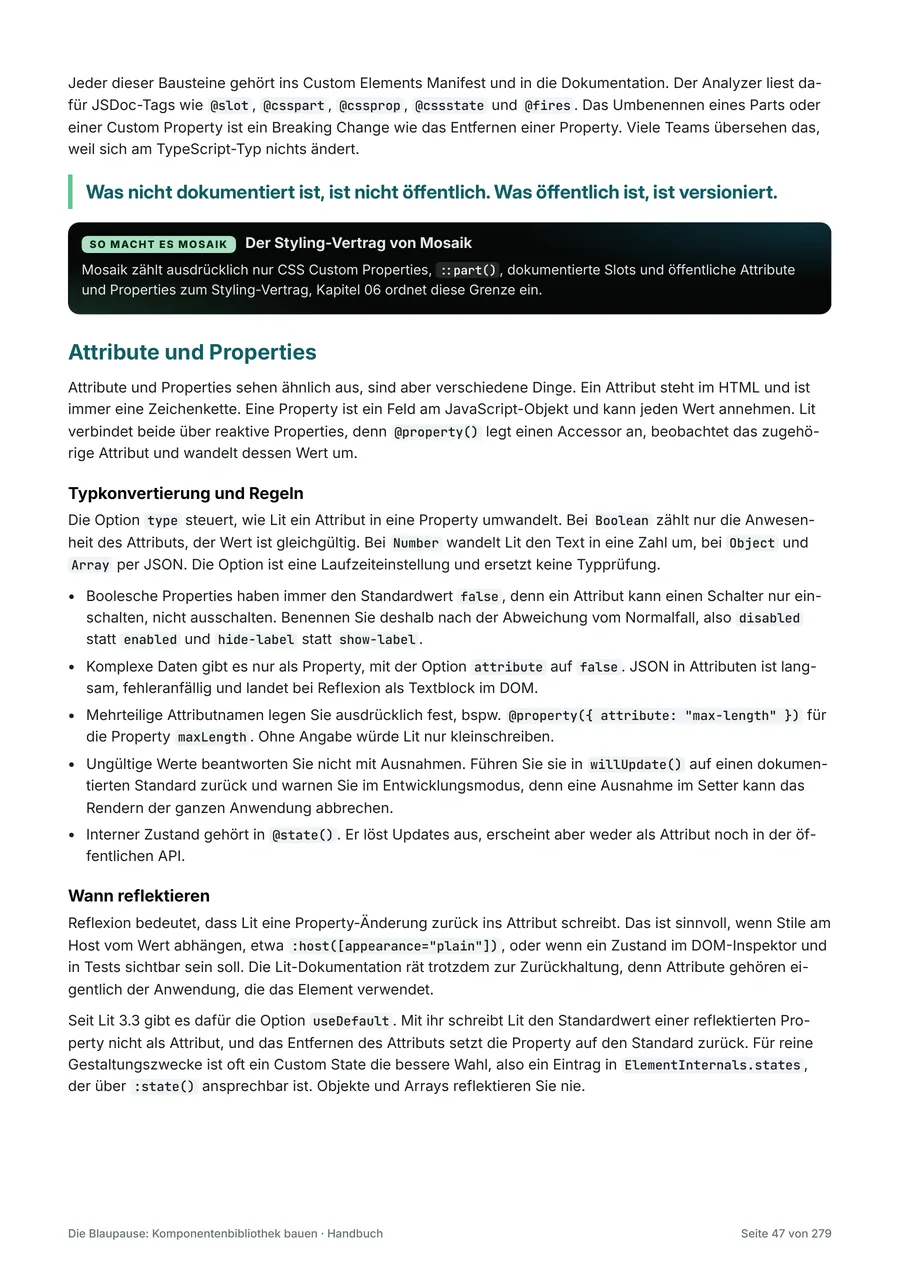
Professional handbook

The Blueprint: Build a component library

Architecture, design tokens, accessibility, frameworks, and operation of your own component library, with Mosaik as a case study

  • 279-page handbook
  • 16 chapters
  • 74 code examples
  • 34 checklists

PDF download

  • Individual licenseFor one person390 €
  • Team licenseFor up to 10 people1.490 €
  • Company licenseFor all employees and other persons acting on behalf of the purchasing company2.990 €

Prices plus VAT, one-time

View product

Training package

Training Package for the Power Platform

Proven training you can use on your own: for in-house training or self-study. Step by step, you build a business process from the form to the app to the approval workflow in Teams.

  • 161-page PDF
  • 13 modules
  • 12 tasks in the use case
  • 10 files

PDF, Word, Excel, and PowerPoint files to download

  • Self-study edition (one person)For one person199 €
  • Self-study edition (team)For teams of up to 10 people990 €
  • Trainer editionUse within your own company, any number of internal sessions1.490 €

Prices plus VAT, one-time

View product

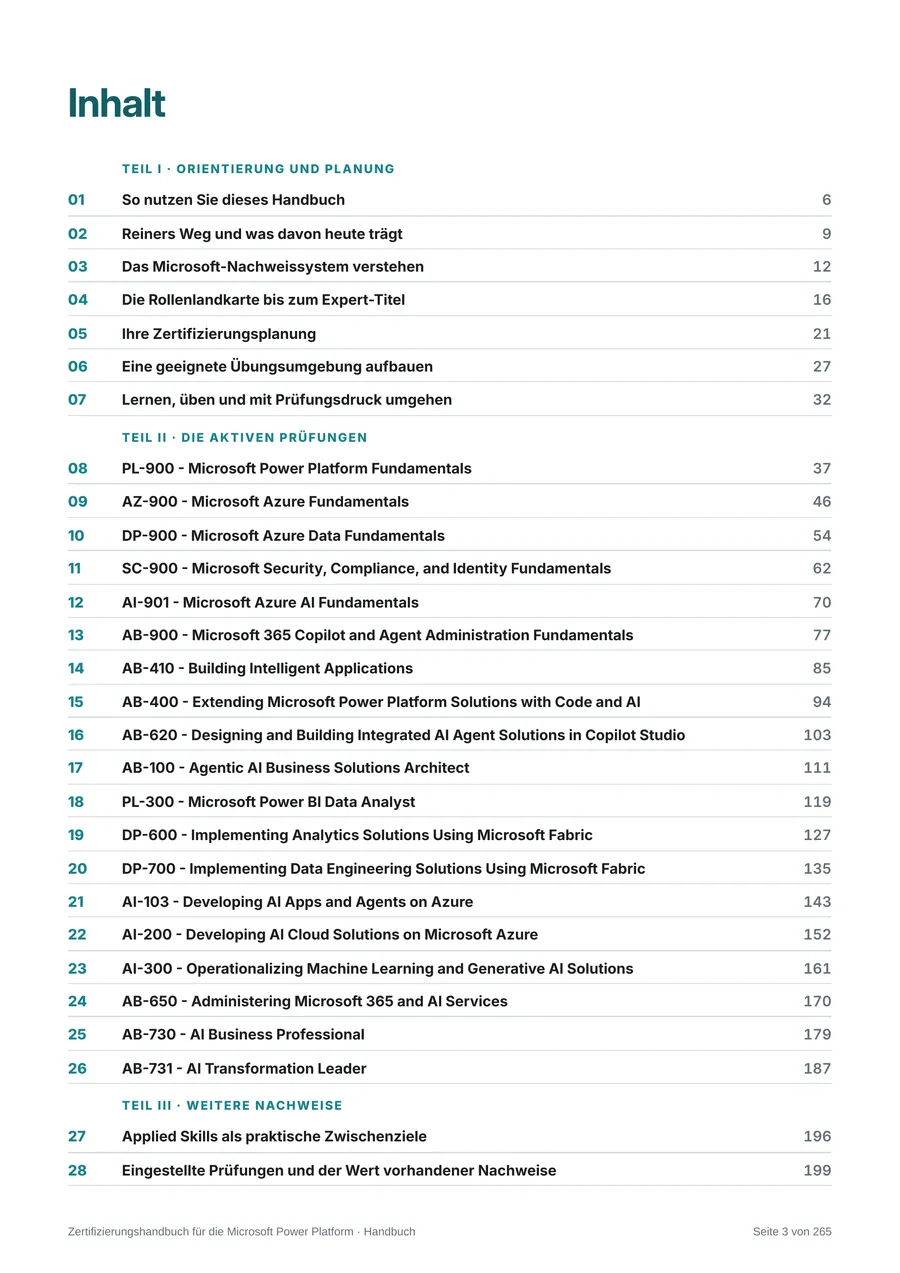
Handbook

Certification Handbook for the Microsoft Power Platform

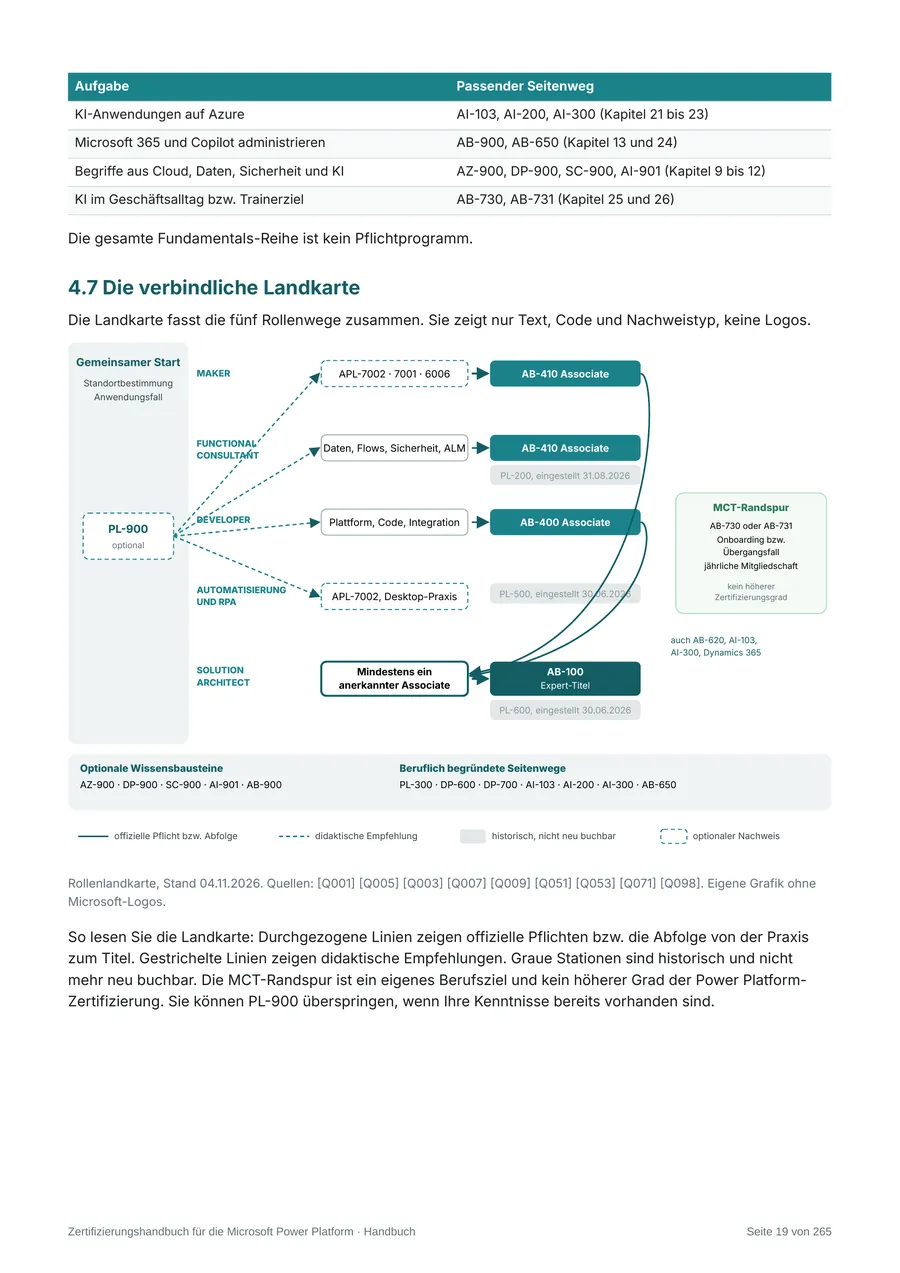
From the basics to an Expert-level certification: choose learning paths, prepare for exams, and keep your credentials current, using my own certification journey as a guide.

  • 265-page handbook
  • 5 learning paths
  • 19 exams
  • 7 checklists

PDF, Excel, and Word files to download

  • Individual licenseFor one person199 €
  • Team licenseFor up to 10 people890 €
  • Company licenseFor all employees and other persons acting on behalf of the purchasing company1.790 €

Prices plus VAT, one-time

View product

30+Years

Experience in information technology

12

Microsoft certifications up to PL-600

28

documented projects

100.000+

Employees at the largest client company

05Case studies

Across automotive, energy, care, and retail. No names, real substance.

As a rule, I do not name clients. Their industry, size, and project requirements show what is possible.

Specialist retailer of fireplaces and stoves with delivery and installationsince 02/2022 Order processing for a stove retailer with Power Apps and SharePoint For almost five years, I developed the central order processing system for a fireplace and stove retailer with several companies and locations, based on SharePoint, Power Automate, and Power Apps, and I still support it today. Quotes with digital signatures, invoices and payment reminders via sevDesk, Planner tasks, customer surveys with Forms, Power BI, and a mobile installation report on tablets all work together. The solution gave rise to the industry platform FLAMOX365. more than 50 employees SharePoint Online (lists and libraries)Power Automate (cloud flows)Power Automate approvalsPower Apps (canvas apps)Forms (customer surveys) Read case study Industry06/2026 - 09/2026 Order approval in manufacturing with Power Automate and SharePoint For a manufacturing company, I implemented a multi-stage approval process for customer orders with Power Automate and SharePoint. Engineering, installation, order management, purchasing, and a second purchasing review handle approvals in sequence; rejections are routed back to the appropriate step with a required explanation. Nine flows, eight SharePoint lists, escalation, and an audit trail form the core system. Part of a group of companies with more than 12,000 employees Power Automate (cloud flows)Power Automate ApprovalsSharePoint Online (lists)Office 365 OutlookPower Platform solutions (managed and unmanaged) Read case study Energy and cable industry12/2025 - 09/2026 SharePoint migration, Power Apps, and Azure in the cable industry For an international group in the energy and cable industry, I supported the migration of SharePoint and Power Platform applications. I developed the security and Azure architecture concept for a QHSE application and rebuilt three Power Apps for hazardous substance management, replacing an on-premises SharePoint solution with Nintex workflows. more than 10,000 employees Power Automate (cloud flows)Power Apps (canvas apps)SharePoint OnlineOn-premises SharePoint (source system)SharePoint REST API Read case study Metalworking - precision turned and milled partssince 11/2025 Digital quality inspection with Power Apps in precision machining For a manufacturer of precision turned and milled parts, I designed and implemented a responsive canvas app for quality inspections in production. It determines which inspection characteristics are due for each machine, part, and inspection trigger, evaluates measured values against tolerances, and stores the results in an auditable form in SharePoint, with versioning and restricted editing rights. In addition, I advise on migrating an existing production app that has evolved over time into separate environments. more than 100 employees Power Automate (cloud flows)Power Apps (canvas app, responsive design)SharePoint OnlineAzure SQLEntra ID and Microsoft 365 groups Read case study Automotive industry08/2024 - 06/2025 Power Platform learning paths, handbook, and migration guides, automotive For an international automotive group, I created English-language learning paths, Q&A formats, and a 122-page handbook on developing Power Apps, working through a partner. This was later followed by guides that enabled employees to migrate their apps, flows, and SharePoint forms to a new Microsoft 365 tenant themselves. more than 190,000 employees Power Automate (cloud flows, desktop flows)Power Apps (canvas app)SharePoint Online (lists, forms with Power Apps)TeamsPower BI Read case study Social work and care (nonprofit welfare)12/2022 - 08/2024, then support as needed Quality management approval and a business travel app with SharePoint and the Power Platform For a nonprofit welfare organization, I rebuilt the approval process for quality management documents with SharePoint and 25 Power Automate flows. In addition, I built a canvas app for business travel requests and travel expense reports. more than 2,000 employees SharePoint Online (document libraries, lists, content approval, managed metadata)Power Automate (cloud flows, approvals)Power Apps (canvas app)Word (document templates with content controls)Word Online (Business) and OneDrive for Business Read case study

View all 28 projects

06Approach

From the first conversation to a solution in production.

Whoever writes the concept also builds it. No handover between consultant and developer, no game of telephone.

  1. Initial consultation

    Free and without obligation via Microsoft Teams: What is the challenge, what is the goal, and which licenses do you already have? Afterward, you will know whether and how the Power Platform fits your needs.

  2. Process analysis

    Together with the people who run the process every day: How does it work today, and where do manual handoffs between systems or media, delays, and errors occur?

  3. Solution concept

    Data model, screens, flows, permissions, and licensing - in writing, easy to understand, and with a clear effort estimate.

  4. Implementation in stages

    Short iterations, each with a working interim result. You see early on what is being built and can adjust course.

  5. Rollout and handover

    Acceptance, deployment to production, documentation, and handover to your team - so the solution does not depend on me.

  6. Further development

    If you wish, I will continue to support the solution afterward: enhancements, new requirements, and updates from Microsoft.

Reiner Keller, Microsoft Power Platform expert and Managing Director of powerbunch GmbH

07Who is behind it

Reiner Keller. Your direct contact.

I am a Microsoft Power Platform expert and Microsoft 365 consultant, and I have worked in information technology since 1994. Since 2018, I have focused entirely on Microsoft 365 and the Power Platform; since October 2022, I have done so through my own company, powerbunch. With me, you always talk directly to the person who also builds your solution.

  • Microsoft Certified: Power Platform Solution Architect Expert (PL-600), plus PL-500, PL-400, PL-200, and PL-100
  • Focus on Power Automate (cloud flows) and Power Apps (canvas apps) - from concept to solution in production
  • Projects at companies of all sizes - from a business with one employee to a group with more than 100,000 employees

08Questions and answers

Frequently asked questions

What does a Power Platform consultant do?
A Power Platform consultant analyzes business processes, decides which parts of the Microsoft Power Platform make sense - Power Automate, Power Apps, Dataverse, Power BI, or Copilot Studio - plans architecture, licensing, and governance, and supports the implementation. At powerbunch, you get both from a single source: I advise and also build the solution myself.
Which processes is the Power Platform worthwhile for?
Above all for processes that run on Excel, email, and paper today: requests and approvals, inspection and maintenance logs, master data maintenance, document generation, incoming invoices, or reconciliation between systems. As a rule of thumb: wherever people carry data from A to B, it is worth a look.
Do I need new licenses for this?
Not necessarily. Many solutions with SharePoint, Teams, and standard connectors are already included in Microsoft 365. Premium connectors, Dataverse, or custom integrations require additional licenses - I clarify this before the project starts.
Do you also offer training?
Yes, by arrangement. My focus is on consulting and implementation. I coordinate training sessions and workshops individually with you - for example, to introduce a solution or for a team that wants to work with the Power Platform itself. Handover and documentation are part of every project anyway.
Do you only work in the Cologne/Bonn region?
No. My office is in Euskirchen, between Cologne, Bonn, and Aachen. Most projects run remotely via Microsoft Teams - throughout Germany, Austria, and Switzerland. I am happy to come on site for workshops.

Your process. My solution.

Tell me where things get stuck today - in a free, no-obligation initial consultation via Microsoft Teams, we will clarify what the Power Platform can do for your process and what a sensible first step looks like.